// Chapter 5 • Items & Puzzles
How to use Conductive Hand (heat/cool/electric panels)?
Switch to the mode that matches the obstacle (cool/heat/electric).
// Evidence Screenshot
Verified ✓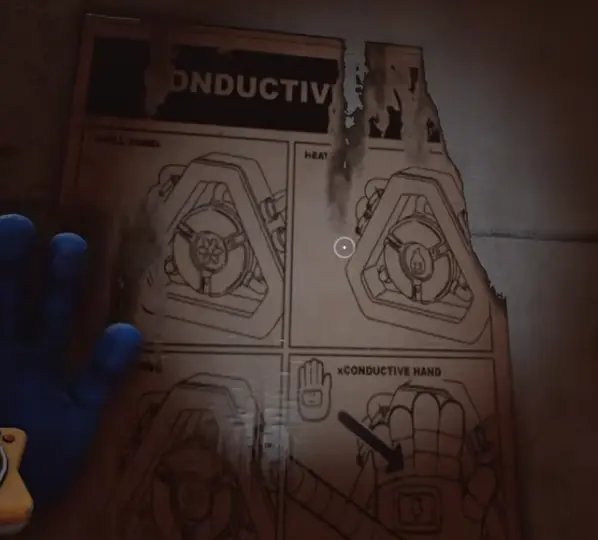
// Quick Fix (3 Steps)
- Identify obstacle type
- Pick matching mode
- Apply to panel/target
If it still fails: reset the interaction prompt (step back and re-aim), confirm the required tool, then repeat Step 1 exactly.
// Common Mistakes
- Using the wrong mode; skipping charging steps.
// Required Tools
Conductive Hand
// Next Steps
Back to Stuck Solver →
Navigate by scene / keep momentum.
Items Index →
Find other codes & fixes fast.
// Related Pages
// Related Questions
How to use Conductive Hand (heat/cool/electric panels)?
Answer: Switch to the mode that matches the obstacle (cool/heat/electric).
Steps
- Identify obstacle type
- Pick matching mode
- Apply to panel/target
Node ref: n17